
Barber Shop Live!: a TikTok LIVE game for your viewers
Barber shop for TikTok LIVE: viewers take the chair, pick the cut, colour and beard and give the customer a GLOW UP with a photo shoot.
More games like this: Simulator games
What is Barber Shop Live!?
Barber shop for TikTok LIVE: viewers take the chair, pick the cut, colour and beard and give the customer a GLOW UP with a photo shoot.
Barber Shop Live! is an interactive TikTok LIVE game: viewers trigger in-game actions with TikTok gifts, likes, follows and comments and show up with their name and profile picture. A stream game for TikTok LIVE, OBS and TikTok LIVE Studio, right in the browser.
| Price | With Livedeck PRO: €17.40 per month excl. VAT |
|---|---|
| Viewers join with | Gifts, likes, follows and comments |
| Viewer actions | 9 |
| Streaming apps | TikTok LIVE Studio, OBS Studio, Streamlabs |
| Runs in | Browser, Livedeck app for Windows and macOS |
| Last updated | November 7, 2026 |
How it works
Open the game
Open the game under Games in Livedeck. It runs in the browser with no download, and you capture the window in OBS or TikTok LIVE Studio.
Map your gifts
You decide which gift, how many likes or a follow triggers which action. Combos count: five roses trigger the action five times.
Viewers join in
Every action hits the game instantly, with the viewer's name on it. Tiles in your stream show which gift does what.
How to add Barber Shop Live! to TikTok LIVE Studio or OBS
The game runs in its own window. You capture that window in your streaming software, and gifts and follows control it automatically.
In TikTok LIVE Studio
- 1
Activate the game: Open Games in Livedeck, activate the game and map gifts, likes or follows to its actions.
- 2
Open the game: Click “Open game”. The game starts in its own window.
- 3
Capture the window: In TikTok LIVE Studio, add a new window capture source and pick the game window.
- 4
Go live: Start your LIVE. Use the test button of each action to check everything first.
In OBS Studio
- 1
Activate the game: Open Games in Livedeck, activate the game and map gifts, likes or follows to its actions.
- 2
Open the game: Click “Open game”. The game starts in its own window.
- 3
Add a window capture: In OBS, click + under Sources, choose “Window Capture” and select the game window.
- 4
Show the tiles: Add the game's tiles in the Livedeck editor under Games. They show up through your overlay link, which you add as a browser source.
Which gift does what in Barber Shop Live!?
These gifts are preset when you start the game for the first time. In the Livedeck dashboard under Games you can map every action to another gift, to likes or to a follow.
| Gift | Action |
|---|---|
 Rose 1 coin | Join the queue The viewer joins the queue with their name and picture and soon sits in the barber's chair. |
 Finger Heart 5 coins | Random style The style wheel spins: cut, colour and an extra are picked at random. |
 Rosa 10 coins | Choose the next cut The viewer picks the next haircut for the customer in the chair. Write a style in the chat first (e.g. mohawk) to get exactly that one. |
 Perfume 20 coins | Bright hair dye The barber dyes the hair in a bright colour. A colour in the chat (e.g. pink) is used, three at once make a rainbow. |
 Doughnut 30 coins | Skip the queue The viewer moves up the queue: right behind the VIP guests and everybody who skipped ahead before. |
 Hat and Mustache 99 coins | Shave & beard (or spa) Foam, a hot towel and the razor: a new beard or moustache. Women get a face spa instead. |
 Corgi 299 coins | Oops! (a funny mistake) A small, harmless mistake (e.g. the hair dryer on full blast) that the barber fixes right away. The vibe drops a little. |
 Money Gun 500 coins | VIP chair The viewer is next (after earlier VIP guests) in the golden VIP chair with a red carpet and gets everything: wash, cut, colour, shave and an extra. |
 Galaxy 1,000 coins | GLOW UP (deluxe + photo shoot) GLOW UP: the customer in the chair gets the full deluxe makeover with sparkles and a photo shoot with flashes, the photo goes on the wall in a gold frame. |
New follower | Join the queue The viewer joins the queue with their name and picture and soon sits in the barber's chair. |
All 9 actions for your viewers
Turn each action on individually and assign it a gift, likes or follows.
Helps you (7)
How your viewers support you.

Join the queue
The viewer joins the queue with their name and picture and soon sits in the barber's chair.

Choose the next cut
The viewer picks the next haircut for the customer in the chair. Write a style in the chat first (e.g. mohawk) to get exactly that one.

Bright hair dye
The barber dyes the hair in a bright colour. A colour in the chat (e.g. pink) is used, three at once make a rainbow.

Shave & beard (or spa)
Foam, a hot towel and the razor: a new beard or moustache. Women get a face spa instead.

Skip the queue
The viewer moves up the queue: right behind the VIP guests and everybody who skipped ahead before.

VIP chair
The viewer is next (after earlier VIP guests) in the golden VIP chair with a red carpet and gets everything: wash, cut, colour, shave and an extra.

GLOW UP (deluxe + photo shoot)
GLOW UP: the customer in the chair gets the full deluxe makeover with sparkles and a photo shoot with flashes, the photo goes on the wall in a gold frame.
Makes it harder (1)
How your viewers challenge you.

Oops! (a funny mistake)
A small, harmless mistake (e.g. the hair dryer on full blast) that the barber fixes right away. The vibe drops a little.
Fun & luck (1)
Surprises and effects that make every gift visible.

Random style
The style wheel spins: cut, colour and an extra are picked at random.
With a win counter
The game tracks your wins on stream. Viewers can gift you wins or take them away – add a win goal and it becomes a challenge.
Free or PRO?
Barber Shop Live! comes with PRO: €17.40 per month excl. VAT (€20.71 incl. VAT) or €156.60 per year. The account itself is free.
Version 0.2.111
Download Livedeck
Free, also with a FREE account. Native app, same Livedeck cloud as in the browser.
Detecting architecture…
Windows: Browser warning on download? Click the arrow next to the file → “Show more” → “Keep anyway”.
Trouble installing?Mobile apps for iOS & Android are available in the respective stores.
Frequently asked questions
Is there a Barber Shop Live! game for TikTok LIVE?
Yes. Barber Shop Live! is an interactive TikTok LIVE game by Livedeck: your viewers play along with TikTok gifts, likes, follows and comments, right in your live. It runs in the browser and goes into your stream through OBS or TikTok LIVE Studio.
What can viewers trigger in Barber Shop Live!?
9 actions, for example Join the queue, Choose the next cut, Bright hair dye. You decide for each action which gift, how many likes or a follow triggers it.
Which gift does what in Barber Shop Live!?
The presets are: Rose → Join the queue, Finger Heart → Random style, Rosa → Choose the next cut, Perfume → Bright hair dye. You can map every action to another gift in the dashboard.
How do I connect Barber Shop Live! to TikTok LIVE?
With Livedeck: create an account, connect TikTok, open Barber Shop Live! under Games and map gifts to the actions. Capture the game window in OBS or TikTok LIVE Studio.
What does Barber Shop Live! cost?
Barber Shop Live! is one of the games included with Livedeck PRO. A free account is enough to try the rest of Livedeck.
Can I test the actions before going live?
Yes. Every action has a test button that fires it in the running game instantly.
Which games are similar to Barber Shop Live!?
If you like Barber Shop Live!, try Supermarket Simulator 3D, Supermarket Simulator, Supermarket Simulator (Steam). They work the same way with gifts, likes and follows.
Barber Shop Live! in your next live
Create an account, open the game, map your gifts – your viewers join in within minutes.
Start freeGuides on this topic
- The best TikTok LIVE games 2026Read the guide
- TikTok LIVE games: interactive games your viewers control with giftsRead the guide
- How to add a game to TikTok LIVE Studio, step by stepRead the guide
- Halay and Horon on TikTok LIVE: how to stream a dance game your viewers joinRead the guide
- TikTok LIVE Studio setup: overlay, alerts and games step by stepRead the guide
- TikTok LIVE ideas: how to keep viewers engaged in your liveRead the guide
More games
All games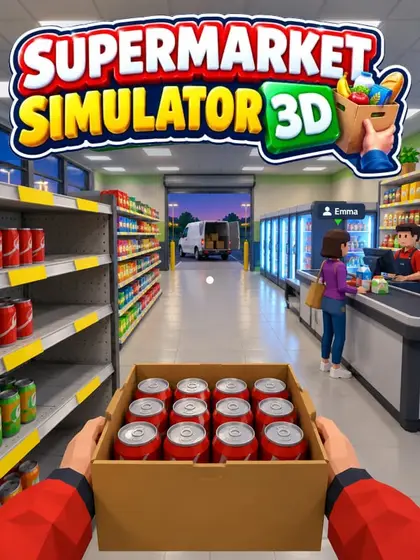
Supermarket Simulator 3D
3D supermarket game for TikTok LIVE: stock shelves, run the checkout and hire staff while viewers walk in with their name and profile picture.
Free59 actions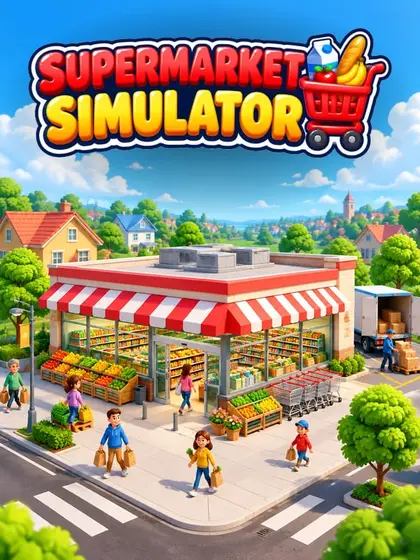
Supermarket Simulator
Supermarket game for TikTok LIVE, right in your browser: serve customers, restock and grow your store while your viewers join in with gifts.
PRO40 actions- SteamBeta
Supermarket Simulator (Steam)
Supermarket Simulator from Steam, connected to TikTok LIVE: your viewers use gifts to send customers, cash, thieves or chaos into your store.
PRO62 actions 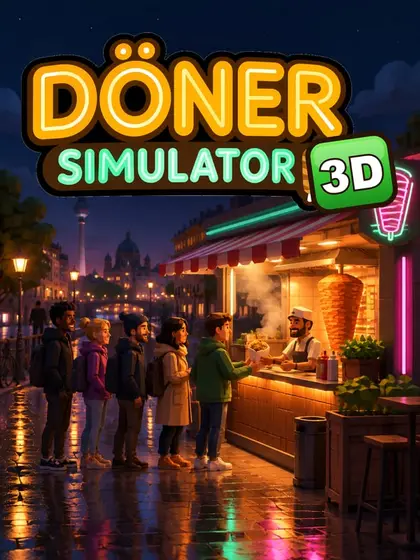
Döner Simulator 3D
3D kebab shop game for TikTok LIVE: run your own kebab shop while viewers order, help at the grill and leave tips or reviews.
PRO16 actions